One back office for the whole estate
Every kiosk, counter and handheld. Every store map, every answer, every screen design, every update. The ShopVoices Console runs it all from one browser tab — with the health of the estate on the first page you see, and an audit trail behind everything you change.
The dashboard tells you what needs attention — before anyone calls
The Console opens on the numbers that matter: stores, devices online, recognition readiness and analytics volume — with a health strip that surfaces anything that needs a decision, and a recent-activity feed of who changed what.
- Devices enroll themselves. Issue a code in the Console, type it on the device — or run a per-device installer — and it appears online with a live heartbeat. See Network & Fleet →
- Every store map, versioned and published centrally. Draw once; every device picks up the published map automatically. See the Map Designer →
- Recognition tuned to your catalogue — generated, reviewed, benchmarked and published from the Console. See AI Optimization →
- Every question on the floor, measured. Three analytics dashboards with drill-downs everywhere. See Analytics →
- Role-based access with per-store scoping — a store manager sees their store; head office sees the estate; every change lands in the audit log.
- Bilingual out of the box — the Console itself runs in Danish and English, and installs as an app on a desktop or tablet.
Design every screen on the floor — and preview the real thing
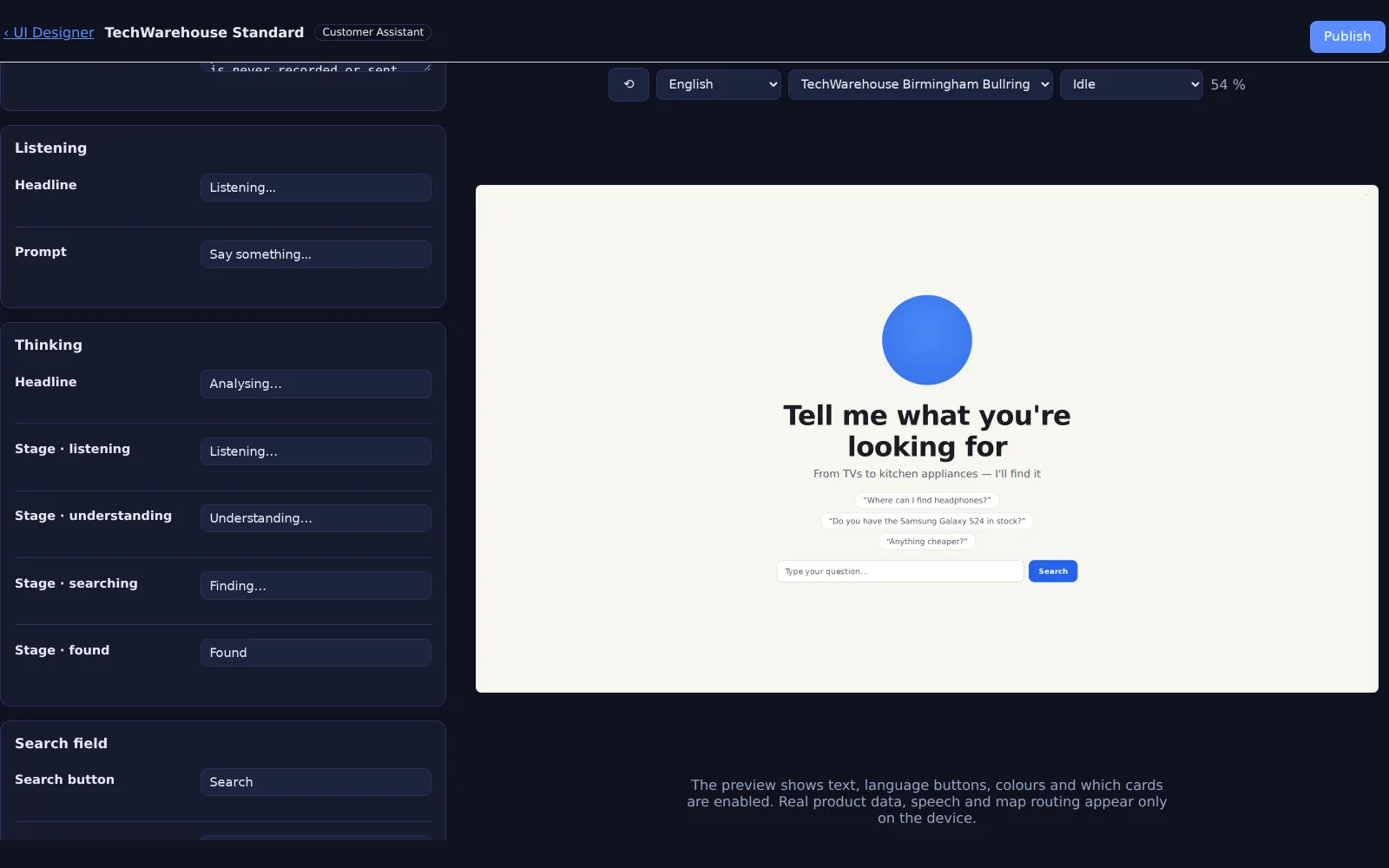
The UI Designer edits what each device type shows — the kiosk's welcome screen, the counter's answer layout, the mobile page — with a live preview of the actual surface beside the form, updating as you type. Work in drafts, publish when ready, roll back with one click if you change your mind.
- Per-device-type templates: kiosk, counter, handheld, customer mobile.
- Draft → publish → rollback, with a snapshot of every published version.
- AI-assisted translation into 13 languages — machine drafts, human review, stale-text flags.
- On-device language buttons switch both the screen and the speech recognition for a session.
Backup, restore, housekeeping and audit — built in
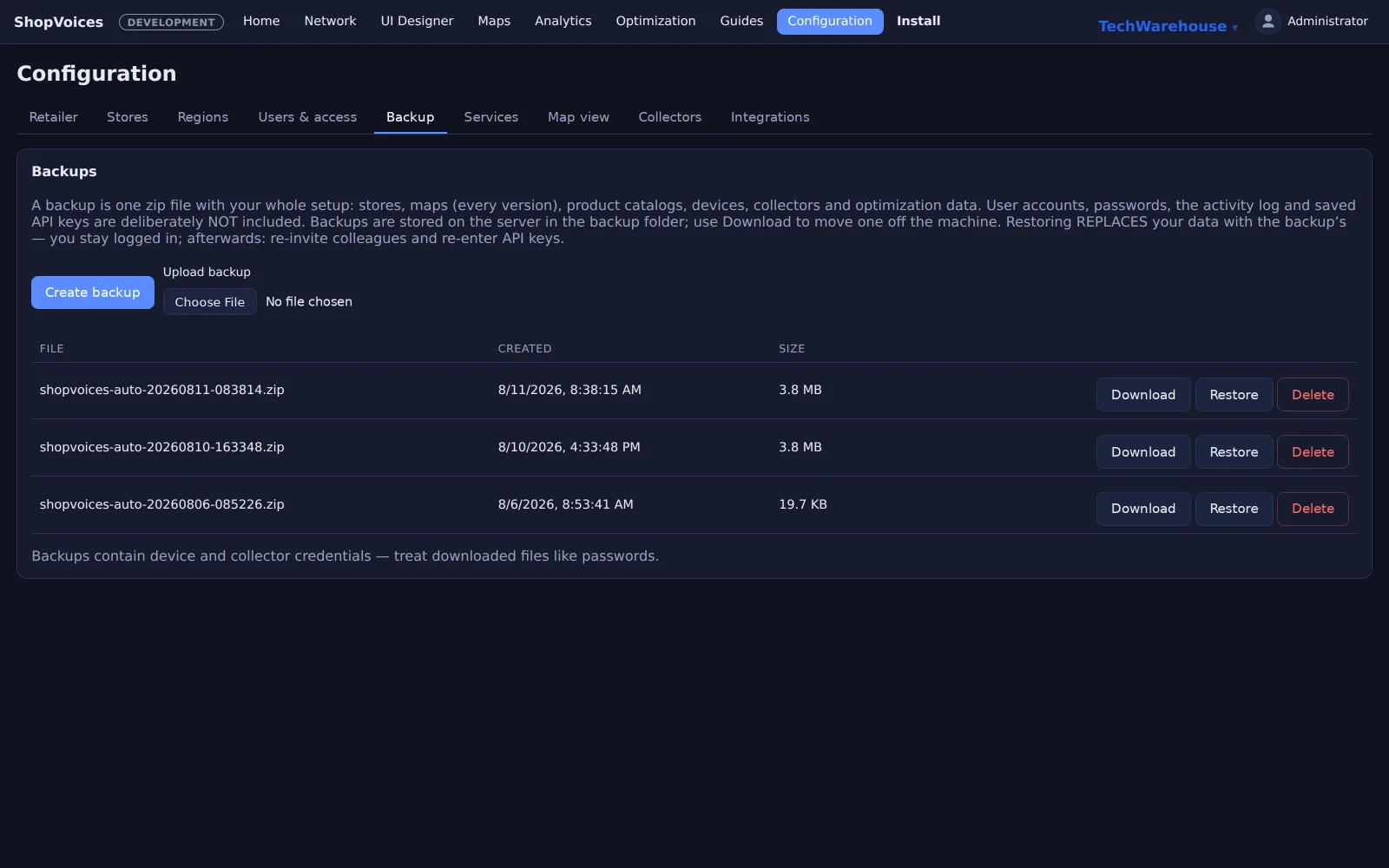
The Console treats the store's configuration as something worth protecting. One click exports a complete backup; restore supports a dry run before it touches anything; a factory reset exists for when a machine changes hands. Scheduled services keep the database maintained, verify model integrity and tidy up on their own — and everything anyone changes is in the audit trail.
- Backup & restore with dry-run, plus factory reset.
- Scheduled housekeeping and integrity checks, visible in one services roster.
- A full audit log: who changed what, when.
Four sections that deserve their own page
Analytics
Three dashboards — store operations, head-office strategy, brand-level demand — with drill-downs, period deltas and automatic insight cards.
Explore Analytics →Map Designer & wayfinding
Draw the store once; every surface shows shoppers the way, floor to floor, with versioned publishing and automatic pickup.
Explore the Map Designer →AI Optimization
An eight-stage readiness wizard that tunes recognition to your catalogue — and measures the result on your own products before anything ships.
Explore AI Optimization →Network & Fleet
Live store topology, self-enrolling devices, per-device installers, and staged chain-wide rollouts with automatic rollback.
Explore Network & Fleet →See the Console run a real estate
A pilot includes the full back office from day one — enrollment, maps, analytics and updates, on your own hardware.